

- Brave Privacy Browser








Advertisement
Additional Information
-
- Developer
- Brave Software
-
- OS
- Ios Android
-
- Price
- Free
-
- Total
- 1,059
-
- Genre
- Communication,
Advertisement
-
Update:
April 15, 2021
Size:
150.98 MB
Version:
1.22.71
Compatibility:
Android 4.1 and up
Content Rating:
Everyone
-
Update:
Size:
Version:
Compatibility:
Android 4.1
Content Rating:
Everyone
Link provided by Apple Store
Get it from Google PlayLink provided by Google Play
Introduction to - Brave Privacy Browser
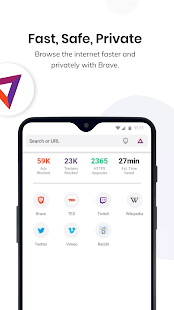
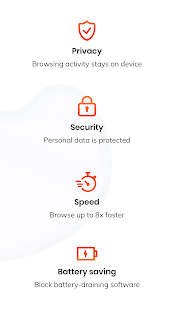
If you worry about online privacy, the Brave Privacy Browser should be one of your choices. It is fast, free, and safe with a 3rd party AdBlocker and will protect you from being interpreted by sneaky advertisers, malware and popups. Main Features: 1. Fast and Secure Web Browser Brave privacy browser gives users the most secure and fastest browsing experience. Without external plugins and settings, you can enjoy delightful browsing without popups, ads, malware, and other annoyances. 2. Private Browsing App You can get anonymous browsing history, free adblocker, personalized search, and private tabs on your mobile web browser. 3. Battery and Data Saver Brave displays a 2x to 4x speed increase on Android, thus will reduce page loading times and save your battery and data. 4. AdBlock Web Browser The Brave's built-in AdBlocker will protect you from being tracked by ads, securing your privacy and private browsing history. More: Brave has a syncing tool that allows you to manage your bookmarks across the desktop and mobile versions of the browser. Besides, it is also experimenting with its own coin, named Basic Attention Token (BAT). Users can anonymously pay publishers for their content by micro-donations and get a percentage of it back with BAT.
1、Visit the official website to download the software
Brave official website (PS: it is recommended to download the software under VPN status)
2、Set up the language
Click settings→additional settings→languages→Chinese (Simplified)→Display Brave in this language→Relaunch
3, set the default search engine (initial default Google search)
first on a search engine URL (such as Baidu search http://www.baidu.com, Sogou search http://www.sogou.com等), and then click Settings → Search Engine → other search engines automatically added Baidu search, Sogou search → set as the default search engine
4, after setting the above basic steps, you can basically use Brave browser normally.
- Good App Guaranteed:
- This app passed the security test for virus,malware and other malicious attacks and doesn’t contain any theats.
Recommended for you
-

- Life360: Family Locator & GPS Tracker for Safety
- Life360: Family Locator & GPS Tracker fo

- Firefox Browser
- Provided by Mozilla Company, Firefox Web

- Discord
- Discord is a cross-platform voice and te
-

- Google Chrome
- As a freeware web browser developed by G

- Amazon Shopping
- The Amazon Shopping App offers shoppers
- Live Weather
- Download the most popular free local wea
Hot Games
-

- Minecraft
- Ultimate Sandbox Experience for Everyone

- ROBLOX
- If you like playing Lego games, then you

- Toca Boca World
- Want to play a game where you can create
-

- Toca Boo
- Want to have fun spooking your family me

- Among Us!
- This is one of the top 10 best online ga

- Pokemon Go
- If you loved playing Pokemon games earli





Leave a Comment