
- DigiHUD Speedometer

Tinder - Dating & Meet People

Spotify: Discover new music

Calm

DiDi-Rider

Telegram

Amazon Shopping

TikTok

Waze
Advertisement
Additional Information
-
- Developer
- James Moss
-
- OS
- Ios Android
-
- Price
- Free
-
- Total
- 200
-
- Genre
- Maps & Navigation,
Advertisement
-
Update:
August 3, 2020
Size:
2.8 MB
Version:
2020.08.03
Compatibility:
Android 4.1 and up
Content Rating:
Everyone
-
Update:
Size:
Version:
Compatibility:
Android 4.1
Content Rating:
Everyone
Introduction to - DigiHUD Speedometer
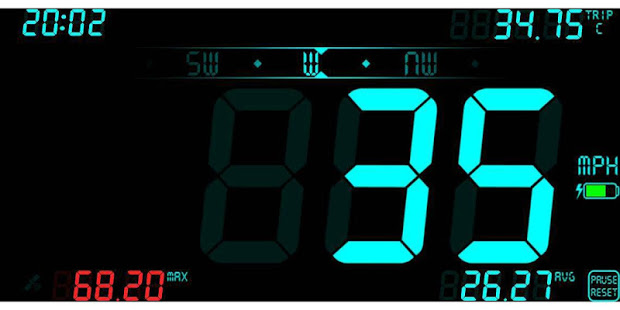
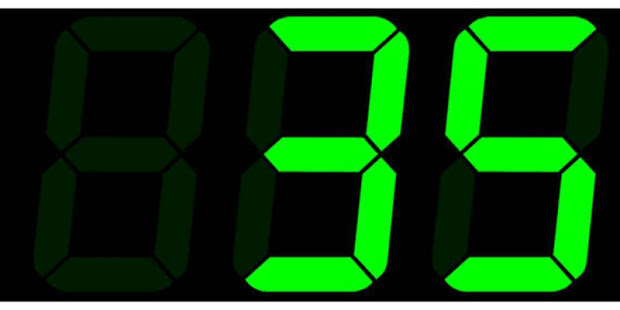
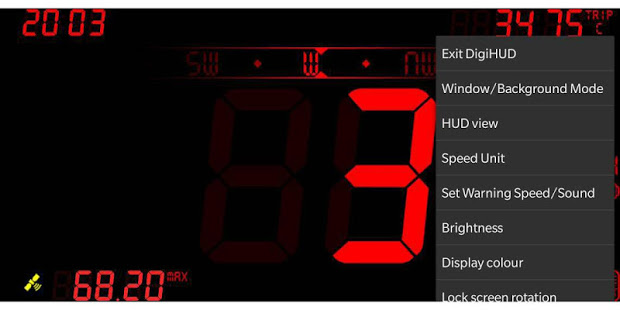
DigiHUD Speedometer is a free display that records the speed and distance information of your journey. Users can see the speed in two modes, one is the normal viewing mode, the other one is the HUD mode that users can view the speed in the vehicle windscreen.The Information displayed on the DigiHUD Speedometer are current speed, average speed, maximum speed, trip distance, direction, odometer, current time and battery power level. The GPS receiver will be used in this application. So it makes the usage of the battery more. During your trip the screen won't turn off and will work in the landscape mode. Download it and enjoy your journey now! DigiHUD Speedometer display:
♥ Current speed & time
♥ Average speed
♥ Maximum speed
♥ Three Trip distance counters
♥ Compass & Odometer
♥ Battery level indicator
♥ Satellite lock status icon
Using DigiHUD
Lite mode (speed only) - swipe left or right for speed. Swipe again to return
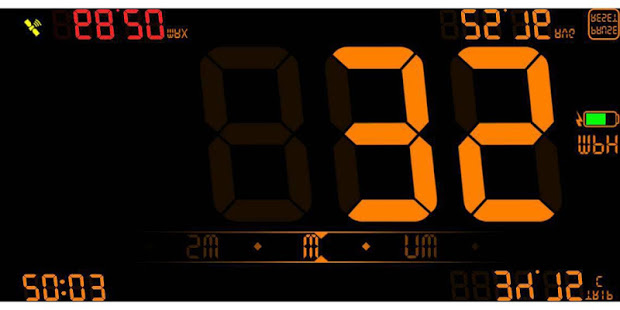
HUD Mode (Mirror) - Swipe up or down for speed. Swipe again to return
Touch the trip counter to cycle through the three counters
Long press the speed or trip value to reset it
Long press on the speed unit to select MPH, KMH and KTS from the pop-up menu (also in the main menu))
In windowed mode, touch the DigiHUD icon to access the menu to switch to the full screen application or to exit. The window can be resized by dragging the handle in the corner.
All values can be reset by pressing and holding "Pause to reset" (odometer readings in the stats pop-up window will not be reset, and the total distance since the application was installed or its data cleared will not be calculated).
By opening the menu by touching the speed displayed in the center of the screen, you can.
Exit DigiHUD
Window/Background mode: closes and opens as a resizable floating window
HUD view / normal view: switch the display between HUD (mirror) and normal
Speed units: toggle between MPH, KMH or KTS
Set warning speed/sound: the digital color will change to red for speed. Sound alerts can also be enabled here
Brightness: adjust the screen brightness
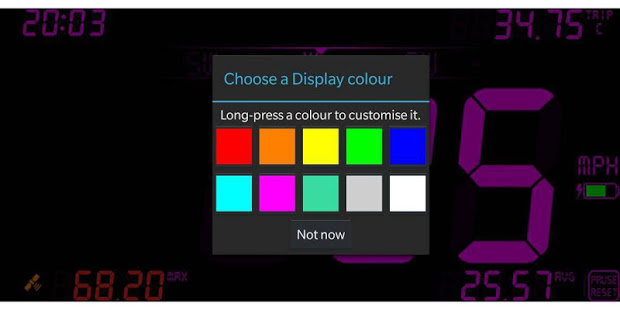
Display color: Choose from 10 customizable colors. Almost all colors are available except black
Lock screen rotation: the screen remains currently rotated even if the device is rotated
Display preferences: enable/disable screen elements
Statistics: odometer, distance traveled, top speed as well as average speed and version number
Help: Displays help and other information
* This application requires the use of a GPS receiver, which may increase battery usage. *
- Good App Guaranteed:
- This app passed the security test for virus,malware and other malicious attacks and doesn’t contain any theats.
Recommended for you
-

- Truecaller
- Brief Truecaller is an app where you c
- Live Weather
- Download the most popular free local wea

- Room Temperature
- Room Temperature helps you to get estima
-

- Snapchat
- Snapchat is a photo-sharing application

- Discord
- Discord is a cross-platform voice and te

- Tango
- Tango is a free online messaging and vid
Hot Games
-

- Minecraft
- Ultimate Sandbox Experience for Everyone

- ROBLOX
- If you like playing Lego games, then you

- Toca Boca World
- Want to play a game where you can create
-
- Toca Boo
- Want to have fun spooking your family me

- Among Us!
- This is one of the top 10 best online ga

- Pokemon Go
- If you loved playing Pokemon games earli





Leave a Comment