

- Google Authenticator

TikTok

Tinder - Dating & Meet People

Google Chrome

Firefox Browser

Spotify: Discover new music
Live Weather

Snapchat

Discord
Advertisement
Additional Information
-
- Developer
- Google LLC
-
- OS
- Android Ios
-
- Price
- Free
-
- Total
- 1,608
-
- Genre
- Tools,
Advertisement
-
Update:
May 12, 2020
Size:
7.93 MB
Version:
2020.5.12
Compatibility:
Android 4.1 and up
Content Rating:
Everyone
-
Update:
Size:
Version:
Compatibility:
Android 4.1
Content Rating:
Everyone
Link provided by Apple Store
Get it from Google PlayLink provided by Google Play
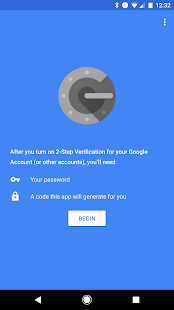
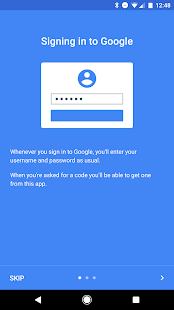
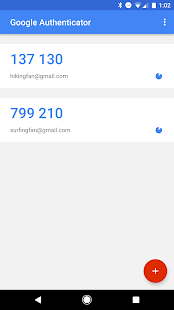
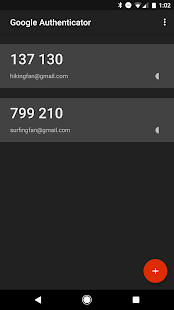
Introduction to - Google Authenticator
Google Authenticator Google Authenticator generates 2-Step Verification codes on your phone. 2-Step Verification provides stronger security for your Google Account by requiring a second step of verification when you sign in. In addition to your password, you’ll also need a code generated by the Google Authenticator app on your phone. Learn more about 2-Step Verification: https://g.co/2step Features: Generate verification codes without a data connection Google Authenticator works with many providers & accounts Support for Android Wear Dark theme available Automatic setup via QR code Permission notice: Camera: Needed to add accounts using QR codes
Safety is always the first thing, and various exchange wallets must protect their account security. Many friends who register for the exchange must find that they are allowed to bind their Google verifier, so how does the Google verifier work?
1. iOS users log in to the AppStore and search for "Authenticator", Android users log in to the app store or use their mobile browser to search for "Google Authenticator" to download.
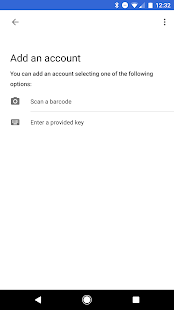
2, iOS cell phone users: please open Google Authenticator APP, click "+" in the upper right corner, and select "Scan Barcode". Android phone users: You can't scan the barcode, please select "manually enter the verification code", enter the relevant information as shown below and select "√" to save
3, scan the QR code shown in the required binding page or manually enter the key shown in the red box below, then the Google Authenticator App in your phone will generate a string of 6-digit verification code, fill in and click on the binding.
4、After that, when you login or do some operations, you need to use Google verification code to login, just scan the QR code with Google Authenticator to check the verification code.
- Good App Guaranteed:
- This app passed the security test for virus,malware and other malicious attacks and doesn’t contain any theats.
Recommended for you
-

- Truecaller
- Brief Truecaller is an app where you c

- Waze
- Waze provides you with voice control for

- Calm
- Calm is the leading app for meditation a
-

- Life360: Family Locator & GPS Tracker for Safety
- Life360: Family Locator & GPS Tracker fo

- Tango
- Tango is a free online messaging and vid

- DiDi-Rider
- DiDi is now available in 28 cities acros
Hot Games
-

- Minecraft
- Ultimate Sandbox Experience for Everyone

- ROBLOX
- If you like playing Lego games, then you

- Toca Boca World
- Want to play a game where you can create
-

- Toca Boo
- Want to have fun spooking your family me

- Among Us!
- This is one of the top 10 best online ga

- Pokemon Go
- If you loved playing Pokemon games earli





Leave a Comment