

- Nextdoor

Telegram

DiDi-Rider

Life360: Family Locator & GPS Tracker for Safety

Truecaller

Tango

TikTok

Calm

Snapchat
Advertisement
Additional Information
-
- Developer
- Nextdoor
-
- OS
- Ios Android
-
- Price
- Free
-
- Total
- 1,560
-
- Genre
- Social,
Advertisement
-
Update:
April 15, 2021
Size:
56M
Version:
3.43.5
Compatibility:
Android 4.1 and up
Content Rating:
Everyone
-
Update:
Size:
Version:
Compatibility:
Android 4.1
Content Rating:
Everyone
Link provided by Apple Store
Get it from Google PlayLink provided by Google Play

Introduction to - Nextdoor
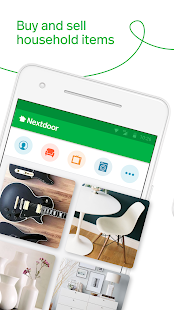
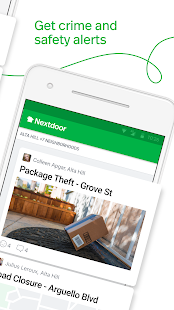
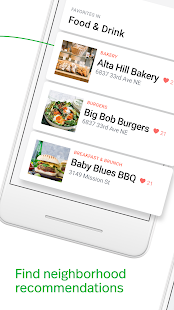
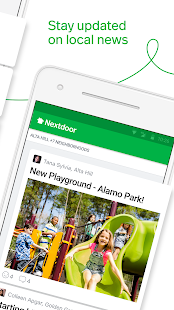
Nextdoor is a free, private social network and will help you connect with your neighbors, find home services near you, and make acquaintances with the people around you. Nextdoor can be helpful in many ways. You can use Nextdoor to see what happened, find a garage sale, last-minute babysitter, dog walker, handyman, or sell your unwanted household items. Besides, you can also get local news, plan a local event, or share safety tips with this app. Key Features: Social networking for neighbors: sell your idle items to your neighbors; get recommendations for handymen, dog walkers, and skillful babysitters. Neighborhood events: find local events like community activities and cookouts; find yard sales and garage sales around you Home Services & Deals· find a babysitter or a handyman: find a babysitter or a handyman; find a pet sitter or dog walker Safety Tips & Crime Watch: Share neighborhood crime reports; share information during a natural disaster More: Nextdoor is a free app, and you can download it from the Google Play Store, the Apple Store, or use the apk on our website to finish your installation.
Before you can start, you need to download the application. Once the installation is complete, launch the application and get ready to chat with your neighbors. After logging in with a new username and password or logging in using Facebook, the application will prompt you to find your neighbors. Do your neighbors use Nextdoor?
You can allow Nextdoor to access your device's contacts for easy access or manually select neighbors. When you move through the registration process, Nextdoor will ask you to turn on notifications so you can receive messages from your neighbors. Once you configure these items or choose to skip them, you will be taken to the main feed of the app where you can see your neighbors' posts. You can invite others to join Nextdoor at any time. in the top left corner of the main feed, simply select the invite option. From there, you can invite others via email, your device's address book, text message or Nextdoor's postcard. Invite your neighbors to communicate on Nextdoor.
You must verify your address to join the Nextdoor community. This is a security feature to keep neighborhood conversations going between community members. You can verify your address in a number of ways.
Phone number
Credit or debit card billing address
Social Security Number
Use leads to have other verified members vouch for you
Accepting email invitations from verified neighbors
A third-party service called LexisNexis can use your email address to verify your home address
Postcards from Nextdoor For more information on the Nextdoor address verification process, click here for the postcard.
- Good App Guaranteed:
- This app passed the security test for virus,malware and other malicious attacks and doesn’t contain any theats.
Recommended for you
-

- Firefox Browser
- Provided by Mozilla Company, Firefox Web

- Tinder - Dating & Meet People
- Tinder is a mobile social application de

- Room Temperature
- Room Temperature helps you to get estima
-

- Waze
- Waze provides you with voice control for
- Live Weather
- Download the most popular free local wea

- Amazon Shopping
- The Amazon Shopping App offers shoppers
Hot Games
-

- Minecraft
- Ultimate Sandbox Experience for Everyone

- ROBLOX
- If you like playing Lego games, then you

- Toca Boca World
- Want to play a game where you can create
-

- Toca Boo
- Want to have fun spooking your family me

- Among Us!
- This is one of the top 10 best online ga

- Pokemon Go
- If you loved playing Pokemon games earli





Leave a Comment