

- Phoenix Browser

Amazon Shopping

Truecaller

Firefox Browser

Tango

Waze

Room Temperature

Spotify: Discover new music

Life360: Family Locator & GPS Tracker for Safety
Advertisement
Additional Information
-
- Developer
- Verizontal Technology
-
- OS
- Android Pc
-
- Price
- Free
-
- Total
- 792
-
- Genre
- Communication,
Advertisement
-
Update:
April 20, 2021
Size:
7.37 MB
Version:
2021.4.20
Compatibility:
Android 4.1 and up
Content Rating:
Everyone
-
Update:
Size:
Version:
Compatibility:
Android 4.1
Content Rating:
Everyone



Introduction to - Phoenix Browser
Phoenix Browser is one of the most useful free web browsers for Android devices with quick Video Downloading, Private Browsing, and Data Saving. Phoenix Browser makes a wide range of online videos downloadable with its video detect function. Besides, its Private Mode won’t leave any trace when you search the Internet, and the lightweight mobile browser offers you for faster downloading speed. Main Features: Smart Download: With the smart detection function, Phoenix Browser can automatically detect downloadable videos, so you can download and save online videos from almost every site. The downloading icon in the address bar will show you whether there are online videos to download. Privacy Mode: Erase your history easily and leave no trace when searching the Internet. Private space for video downloading and protect your privacy. Bookmarks/History: Bookmarks help save your favorite websites and offer quick navigation for next visit. History list helps with recollection. Both will save your time on finding your favorite websites. Data Saving: Phoenix Browser can compress data and helps save lots of cellular data traffic. Add To Shortcut: You can add your frequently accessed websites like Facebook, Twitter, Instagram, YouTube, Amazon, Wikipedia, etc.for a quick visit. Built-in Video Player: The built-in video player offers a one-stop service from video downloading to video playing, so you can watch videos without exiting the app. Multi-Tab Manager: Multi-tab manager allows you to switch pages from multiple websites and makes your browsing experience smoother. More: Night/Bright Mode: Night mode can protect your eyes when searching in the darkness, while bright mode prevents the screen from going dark. Screenshot: You can crop any contents in webpages, and Graffiti is allowed on the screenshots. Switch to PC Website: Support cross-device browsing, for example, from mobile to PC browser mode. Sync: Support import and sync your history and bookmarks via a Google account.
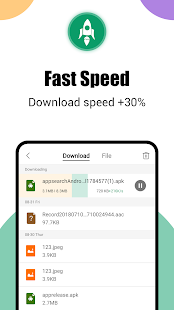
Video download: visit websites and download multiple files (video, audio, documents, etc.) at the speed of light. Automatic detection of videos from any website. Easily download online videos from many sites. videos on Facebook, Instagram and xxx sites, etc. You can also download via BitTorrent and Magnet. Phoenix Browser with a download icon on the site will notify the user if there is an online video that the user can download. It is very easy to download videos using the Smart Download feature. (!!! Due to Google's policy, it is not possible to download on YouTube!!!)
Built-in video player: a one-stop shop from video download to video playback. You can watch videos directly without exiting the app.
WhatsApp Status Saver plugin: Easily and securely save your friends' Whatsapp status.
Powerful File Manager: Access all the files in your mobile storage, preview images, videos, documents (Word, Excel, PDF), and remove junk files from your device. Supports more than 50 file formats such as word, excel, ppt, pdf, etc.
Adblock: block annoying ads and pop-ups, save time and improve loading speed. Adblock blocks all forms of annoying ads, pop-ups and banners to make your browsing more comfortable. It not only speeds up page loading, but also reduces the amount of Internet data usage.
Data saver: Stream movies, download files, browse more content with less data on any website. Phoenix Browser compresses data, speeds up navigation and helps you save a lot of cellular data traffic.
Incognito browsing: The "Incognito" tab makes your browsing experience completely private, without leaving any history, cookies, cache, etc.
Bookmarks/History: Bookmarks help save your favorite sites and provide quick navigation for future visits. History lists help to remember. Both can save you time in finding your favorite sites.
Add to shortcuts: Add your favorite sites such as Facebook, Twitter, Instagram, YouTube, Amazon, Wikipedia, etc. for quick access.
Speed Dial: Recommended popular websites for quick access. You can customize the list according to your preferences.
Search Engine: Switch search engines according to your preferences. We support Google, Yahoo, Ask, Yandex, AOL, DuckDuckGo and Bing.
Multi-Tab Manager: Easily switch between pages from multiple websites. Use the Multi-Tab Manager to make your browsing experience smoother.
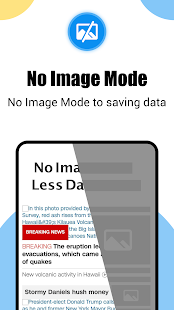
No Image Mode: Disable image and video loading to save data in case of poor network connection.
Night/Bright mode: Night mode protects your eyes when browsing in the dark. Bright mode prevents the screen from getting dark.
Switch to PC website: Supports cross-device browsing, i.e. browsing from mobile device to PC browser mode.
Sync: Import and sync your history and bookmarks through your Google account or Facebook account.
Find/Translate in page: Search to find any content needed in a website page and support translation function.
- Good App Guaranteed:
- This app passed the security test for virus,malware and other malicious attacks and doesn’t contain any theats.
Recommended for you
-

- DiDi-Rider
- DiDi is now available in 28 cities acros

- Discord
- Discord is a cross-platform voice and te

- Telegram
- Telegram is a fast messaging app that ca
-

- Tinder - Dating & Meet People
- Tinder is a mobile social application de

- TikTok
- TikTok (Musically) is a short-video soci
- Live Weather
- Download the most popular free local wea
Hot Games
-

- Minecraft
- Ultimate Sandbox Experience for Everyone

- ROBLOX
- If you like playing Lego games, then you

- Toca Boca World
- Want to play a game where you can create
-

- Toca Boo
- Want to have fun spooking your family me

- Among Us!
- This is one of the top 10 best online ga

- Pokemon Go
- If you loved playing Pokemon games earli





Leave a Comment