
- Phone Clone
Live Weather

DiDi-Rider

Discord

Amazon Shopping

Calm

Firefox Browser

Spotify: Discover new music

Waze
Advertisement
Additional Information
-
- Developer
- Huawei Technologies Co. Ltd.
-
- OS
- Ios Android
-
- Price
- Free
-
- Total
- 746
-
- Genre
- Tools,
Advertisement
-
Update:
January 19, 2020
Size:
12M
Version:
Huawei Technologies Co. Ltd.
Compatibility:
Android 4.1 and up
Content Rating:
Everyone
-
Update:
Size:
Version:
Compatibility:
Android 4.1
Content Rating:
Everyone
Link provided by Apple Store
Get it from Google PlayLink provided by Google Play
Introduction to - Phone Clone
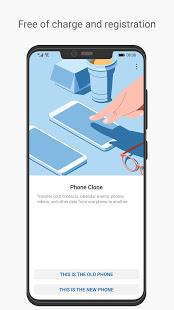
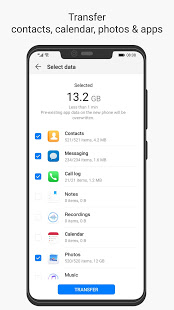
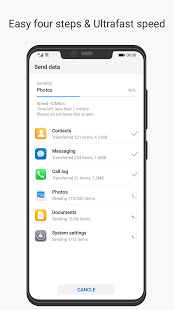
Phone Clone is a convenient data migration application provided by HUAWEI. You can transfer the contacts, SMS,call logs,notes,recordings,calender, photos, music, videos,documents and applications of your old phones to new Huawei smartphone. PhoneClone has the following features: full data, no traffic, simple operation, super fast speed, free and secure; support from Android, iOS migrate data to HUAWEI mobile phone; provide more perfect support for HUAWEI mobile phone, without root to transmit more data (application data, schedule, memo, alarm, The reader bookmark, etc.). support Android 4.4 and above systems.
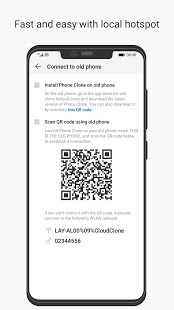
With Phone Clone, you can transfer essential data (such as contacts, calendar, pictures and videos) from your old phone to your new phone in just a short time, seamlessly bridging the old and new phones. To import data from your Android device, go to the Phone Clone app on your new phone, or go to Settings > System and Updates > Phone Clone, touch This is the new phone and select Huawei or another Android. On the old device, go to the Phone Clone app and touch this is the old phone, then follow the on-screen instructions to connect the old device to the new phone by swiping the code or manually connecting. On the old device, select the data you want to copy and then touch Start transfer to complete the data copy.
To import data from iPhone or iPad, on the new phone, go to the Phone Clone app or go to Settings > System and Updates > Phone Clone, then touch This is the new phone and select iPhone/iPad.
Follow the on-screen instructions to download and install Phone Clone on the old device.
On the old device, go to the Phone Clone app and touch This is the old phone, then follow the on-screen instructions to connect the old device to the new phone by swiping the code or manually connecting.
Select the data to be copied on the old device and follow the on-screen instructions to complete the data copy.
- Good App Guaranteed:
- This app passed the security test for virus,malware and other malicious attacks and doesn’t contain any theats.
Recommended for you
-

- Google Chrome
- As a freeware web browser developed by G

- TikTok
- TikTok (Musically) is a short-video soci

- Room Temperature
- Room Temperature helps you to get estima
-

- Tinder - Dating & Meet People
- Tinder is a mobile social application de

- Truecaller
- Brief Truecaller is an app where you c

- Tango
- Tango is a free online messaging and vid
Hot Games
-

- Minecraft
- Ultimate Sandbox Experience for Everyone

- ROBLOX
- If you like playing Lego games, then you

- Toca Boca World
- Want to play a game where you can create
-

- Toca Boo
- Want to have fun spooking your family me

- Among Us!
- This is one of the top 10 best online ga

- Pokemon Go
- If you loved playing Pokemon games earli





Leave a Comment