
- YouTube for Android TV
- entertainment Apps Android Tools

Calm

TikTok

Tango

Life360: Family Locator & GPS Tracker for Safety

Firefox Browser

Telegram

Truecaller

Snapchat
Advertisement
Additional Information
-
- Developer
-
- OS
- Android
-
- Price
- Free
-
- Total
- 0
-
- Genre
- Tools,
Advertisement
-
Update:
May 6, 2026
Size:
452MB
Version:
5.30.304
Compatibility:
Android 4.1 and up
Content Rating:
Everyone
-
Update:
Size:
Version:
Compatibility:
Android 4.1
Content Rating:
Everyone
Introduction to - YouTube for Android TV
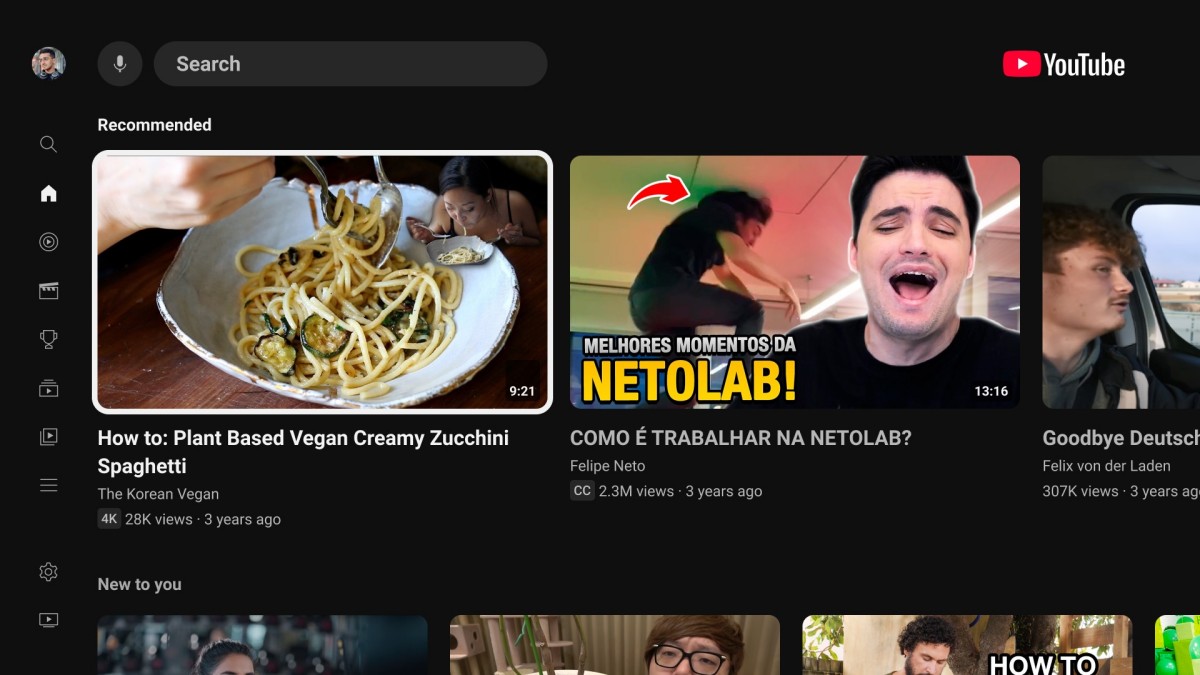
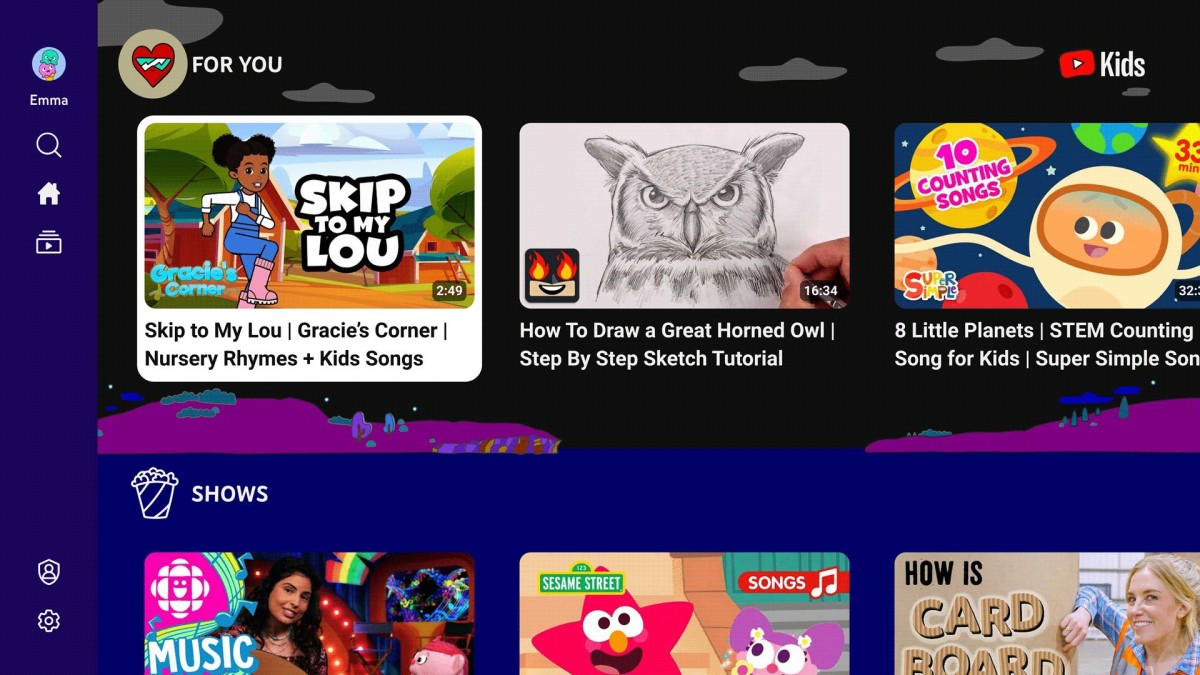
YouTube for Android TV transforms the familiar video platform into a living-room entertainment experience built specifically for televisions. Instead of focusing on touch controls or short viewing sessions, the app is designed around remote navigation, large-screen playback, and shared viewing. Once opened, the interface immediately presents personalized recommendations, trending videos, subscriptions, and recently watched content in a layout optimized for TVs. The design uses oversized thumbnails, simplified menus, and smooth horizontal scrolling so you can comfortably browse content from across the room without needing a keyboard or touchscreen.
The application supports a massive variety of video content, ranging from gaming streams, podcasts, documentaries, tutorials, and movie trailers to live sports broadcasts, music performances, and educational channels. Because the platform connects directly to your Google account, your subscriptions, watch history, playlists, and recommendations automatically sync between mobile devices, computers, and televisions. This creates a seamless experience where you can begin watching content on your phone and later continue it on your TV without searching again. Voice search support through Google Assistant also makes navigation faster, allowing you to search for creators, genres, or specific videos using spoken commands instead of typing with a remote.
One of the app’s biggest strengths is how well it adapts to large displays. Videos can stream in resolutions up to 4K and HDR when supported by the television and internet connection, delivering sharper visuals and richer colors for cinematic content, gameplay footage, and nature documentaries. Playback controls are streamlined for TV viewing, with quick access to subtitles, playback speed, queue management, and autoplay settings. The app also supports live chat visibility during streams, making it easier to follow major live events or creator broadcasts directly from the television screen.
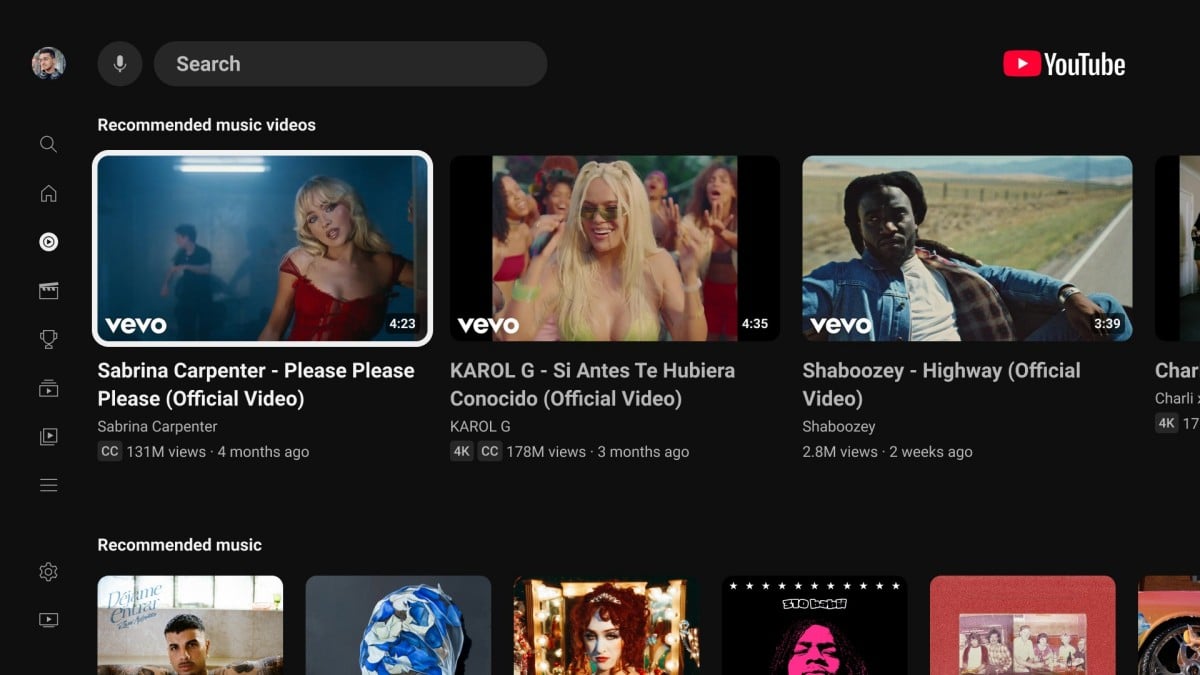
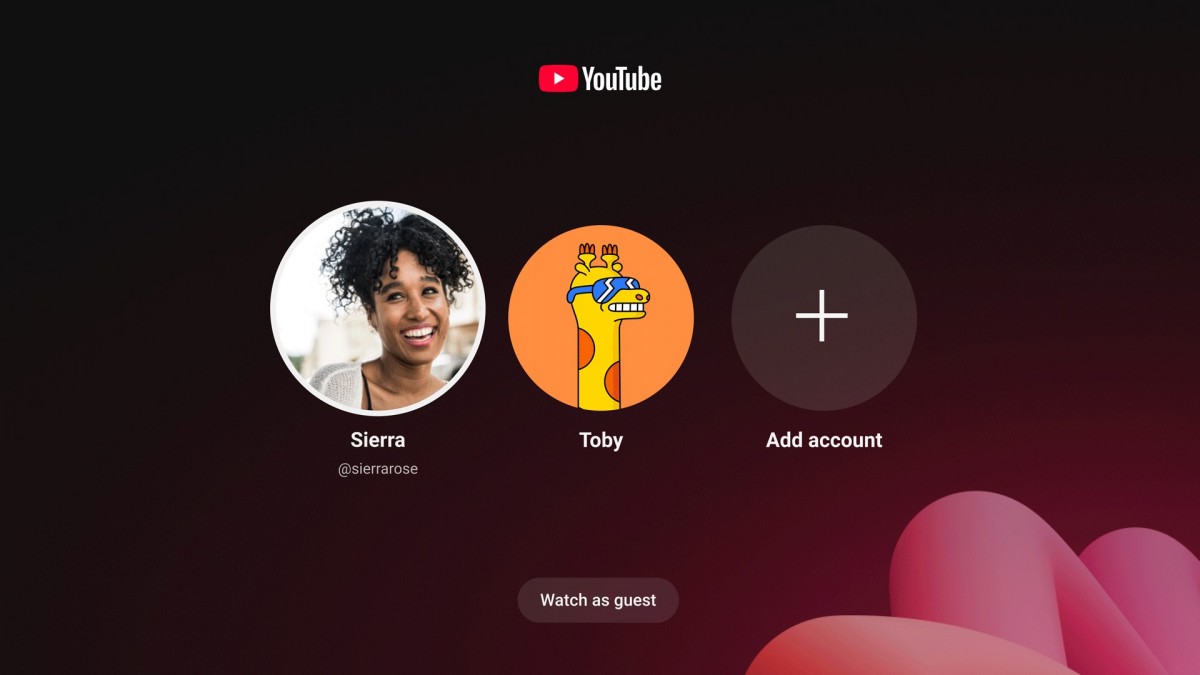
Music and background listening are also central parts of the experience. Through integration with YouTube Music and premium features, users can access concerts, playlists, music videos, and curated mixes from the same interface. Families often use the application as a shared entertainment hub because it can recommend content for multiple viewing interests in one place. Profiles and account switching make it easier for different household members to maintain personalized recommendations without affecting each other’s watch history.
Another important feature is casting support. Even when using the Android TV version, you can instantly send videos from a smartphone, tablet, or laptop directly to the television using Chromecast functionality. This allows faster discovery on smaller devices while still enjoying playback on the larger screen. The app also frequently updates its recommendation algorithms and interface design, helping surface trending global content and newly uploaded videos in real time.
Performance is generally optimized for smart TVs and streaming devices, including devices powered by Android TV and Google TV operating systems. Navigation remains responsive on modern hardware, while automatic updates continually improve compatibility, streaming stability, and content discovery. Whether you use it for casual evening viewing, following favorite creators, listening to music, or watching long-form educational content, YouTube for Android TV turns the television into a flexible digital media center that combines online video culture with the comfort of traditional TV viewing.
YouTube for Android TV is designed to bring online video entertainment to the television screen in a simple and comfortable way. After launching the app on your Android TV or Google TV device, the home screen immediately displays recommended videos, trending content, subscriptions, and recently watched channels. You navigate through the interface using your TV remote, moving between categories with directional buttons and selecting content with the confirmation key in the center. The large icons and simplified menus make browsing easy even from across the room.
To begin using the application fully, signing in with a Google account is recommended. Once logged in, your subscriptions, playlists, liked videos, and watch history automatically appear on the TV version of the app. This synchronization allows you to continue watching videos you previously opened on your phone, tablet, or computer. Signing in also improves recommendations because the platform learns your viewing habits and displays content related to your interests directly on the home page.
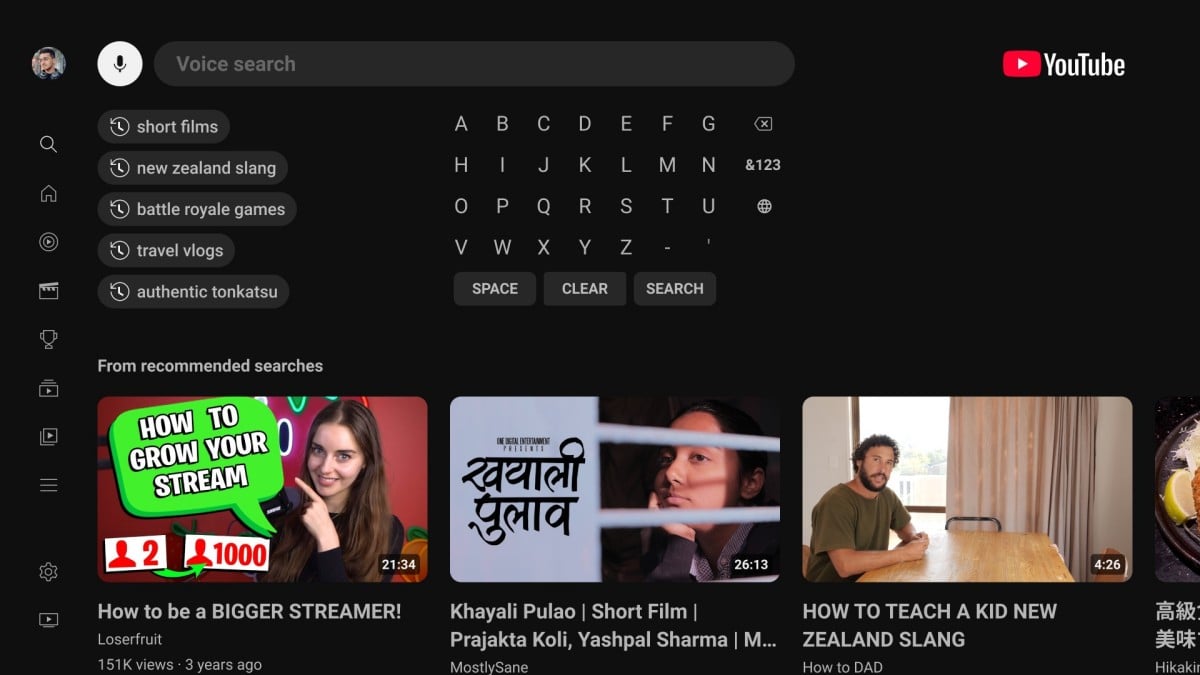
Searching for videos can be done in two ways. The first method is manual navigation through the on-screen keyboard using the remote. The second and faster option is voice search. Many Android TV remotes include a microphone button connected to Google Assistant. Pressing the microphone button allows you to say the name of a creator, topic, song, or video category, and the app instantly displays matching results. This feature is especially useful when searching for long video titles or discovering new content quickly.
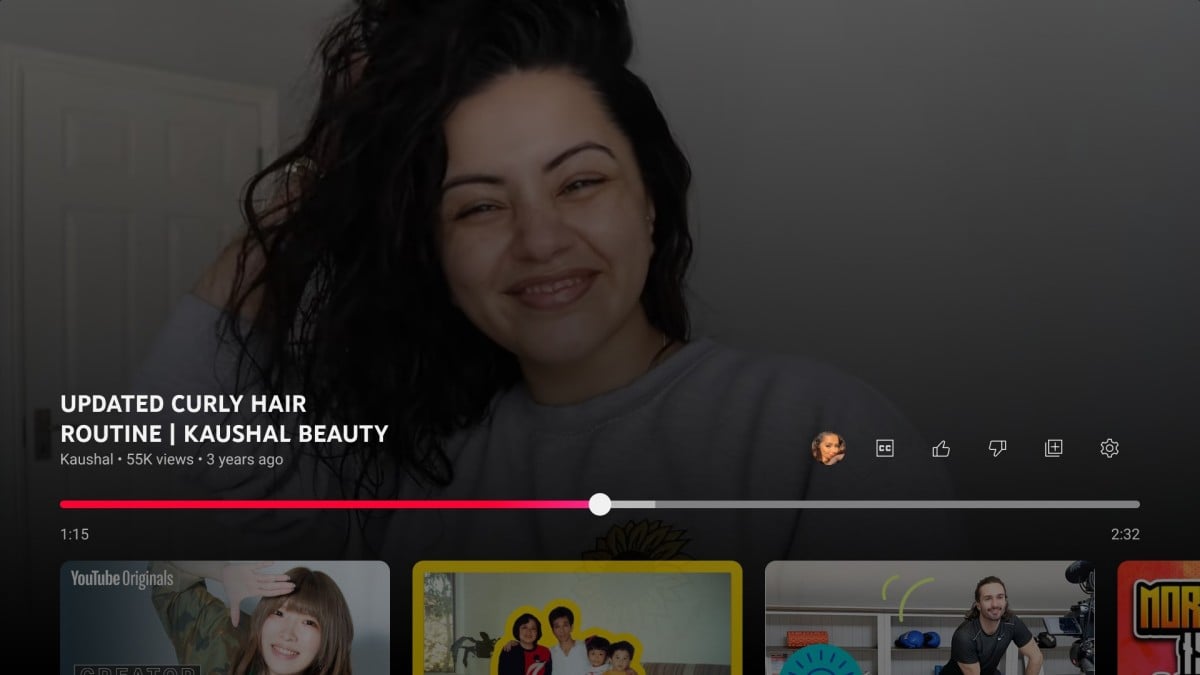
When a video begins playing, the app automatically switches into full-screen mode optimized for television viewing. Playback controls appear when pressing the remote’s center or directional buttons. From this menu, you can pause videos, rewind, fast-forward, adjust subtitles, change video quality, or activate autoplay. If your television and internet connection support higher resolutions, the app can stream videos in HD, 4K, or HDR quality for a more detailed viewing experience. Long-form podcasts, documentaries, gaming videos, and music performances particularly benefit from the larger display.
The app also supports playlists and subscriptions for easier content management. You can subscribe to favorite channels directly from the TV interface so new uploads appear in your recommendation feed. Playlists help organize videos into categories such as workout routines, cooking tutorials, educational content, or music collections. Families often use multiple Google accounts on the same television so each person receives personalized recommendations without affecting another user’s watch history.
Another important feature is casting. If you find a video on your smartphone or laptop, you can send it directly to the television through Chromecast support. Tapping the cast icon on a mobile device instantly transfers playback to the TV while allowing the phone to act as a remote control. This is useful for faster browsing or sharing videos with others in the room.
YouTube for Android TV also supports live streams, music playback, and premium features. Users can watch live gaming broadcasts, sports events, news coverage, or concerts while viewing live chat on supported streams. With YouTube Premium, ads can be removed and additional playback features become available. Overall, the application transforms the television into a complete online entertainment hub where videos, music, live events, and creator content are all accessible from one simple interface.
- Good App Guaranteed:
- This app passed the security test for virus,malware and other malicious attacks and doesn’t contain any theats.
Recommended for you
-

- Room Temperature
- Room Temperature helps you to get estima

- DiDi-Rider
- DiDi is now available in 28 cities acros
- Amazon Shopping
- The Amazon Shopping App offers shoppers
-
- Spotify: Discover new music
- Whether you're looking for your next

- Tinder - Dating & Meet People
- Tinder is a mobile social application de
- Google Chrome
- As a freeware web browser developed by G
Hot Games
-
- Minecraft
- Ultimate Sandbox Experience for Everyone

- ROBLOX
- If you like playing Lego games, then you
- Toca Boca World
- Want to play a game where you can create
-
- Toca Boo
- Want to have fun spooking your family me
- Among Us!
- This is one of the top 10 best online ga

- Pokemon Go
- If you loved playing Pokemon games earli



Leave a Comment